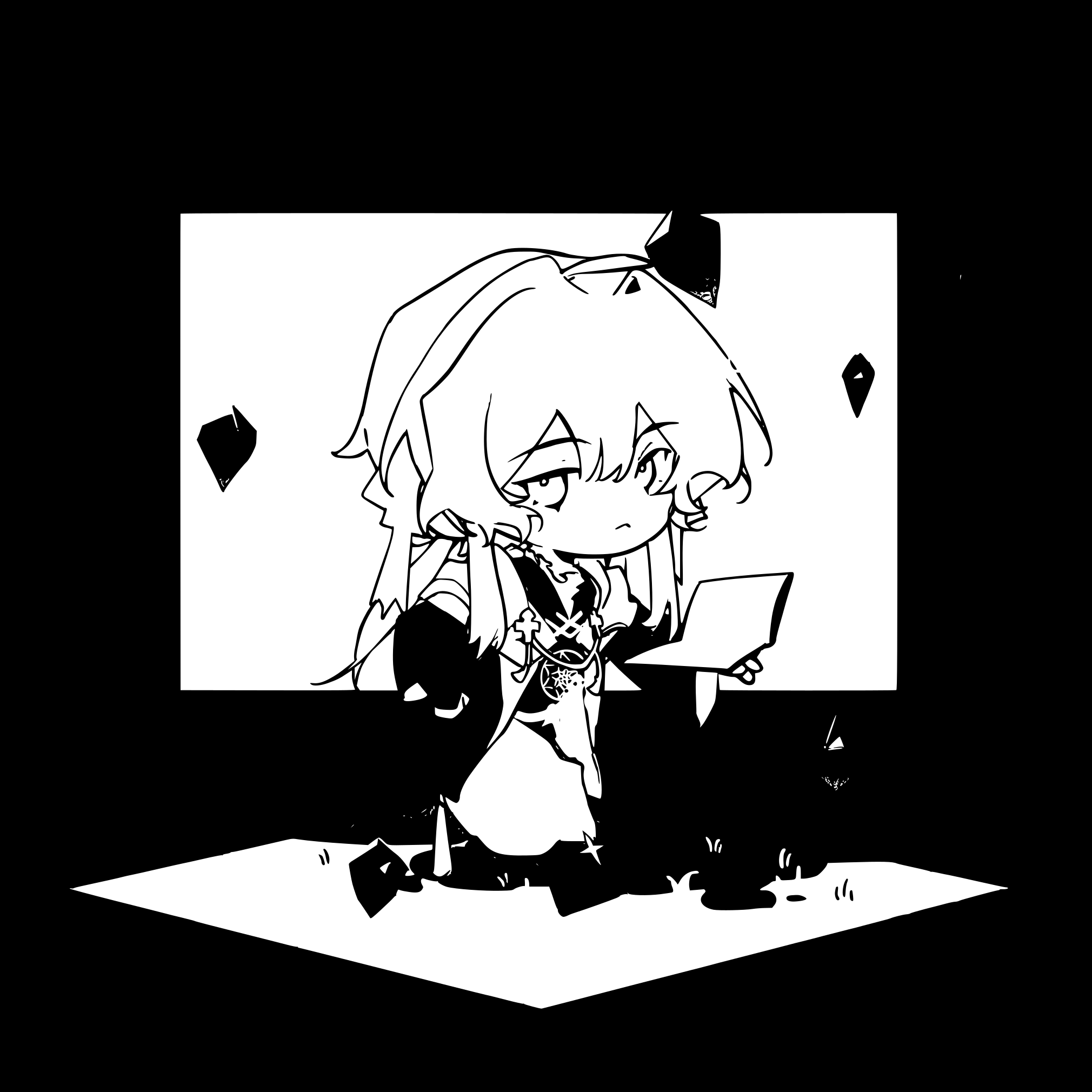
ABC This page is documenting some develop process about ABC(yet dont have name:)
A:(as follow is the newest but not the last:) ** now stage: code refactoring...... **
program
all
unity two scenes shift,
one scene control different gameobject
then other naninovel algorithm
art
render pipeline
- toonshader(toonshader.md)
- unity urp render settings: custom srp material(?)
- lightFX
So i want to share the render plan in my indie game....(thinking...even though i dont regard it as an 'indie game')
2.5D performance1(used planes to multiply):
the main scene:
- full screnn render feature (renderer3D)
- background(RT,transparent,queue = 3000-2)
- character(toonshader + custom RT filter transparent,queue = 3000-1)
- FX layer(plane transparent queue = 3000)
- LightFX
all process is animated available to achieve the performance(with naninovel frame, and I try to learn that, too.) (but I think it seemed to be over...?)
at the same time I am exploring some new postprocess, too.(But time and efficiency push some stress on me:)
basically naninovel and urp, but I take the 3D asset(character from Vroid then blender to handle further)
and so there is still some performance trick about various useing methods of render texture...etc(please ignore my poor language skill...)
explore post process utils:
post process pencil
post process pencil / draft(learn from camerafilterpackage)
    float4 f = SAMPLE_TEXTURE2D_X(_BlitTexture, sampler_BlitTexture, i.uv);
    float3 paper = SAMPLE_TEXTURE2D(_MainTex2, sampler_MainTex2, uv).rgb;
    float ce = 1.0;
    float4 tex1[4];
    float4 tex2[4];
    float tex = _Value1;
    float tt = _Time.y * _Value4;
    float s = floor(sin(tt * 10.0) * _a) / 12.0;
    float c = floor(cos(tt * 10.0) * _a) / 12.0;
    float pg = 1.0 - paper.g;
    float2 dist = float2(c + paper.b * 0.02, s + paper.b * 0.02);
    // the texture.r is base texture
    //  .g is mask(...dont like this much, can custom)
    //  **.b** is motion controller

    float3 paper2 = SAMPLE_TEXTURE2D(_MainTex2, sampler_MainTex2, uv + dist).rgb;

    tex2[0] = SAMPLE_TEXTURE2D_X(_BlitTexture, sampler_BlitTexture, i.uv + float2(tex, 0) + dist / 128.0);
    tex2[1] = SAMPLE_TEXTURE2D_X(_BlitTexture, sampler_BlitTexture, i.uv + float2(-tex, 0) + dist / 128.0);
    tex2[2] = SAMPLE_TEXTURE2D_X(_BlitTexture, sampler_BlitTexture, i.uv + float2(0, tex) + dist / 128.0);
    tex2[3] = SAMPLE_TEXTURE2D_X(_BlitTexture, sampler_BlitTexture, i.uv + float2(0, -tex) + dist / 128.0);

    for(int j = 0; j < 4; j++)
    {
        tex1[j] = saturate(1.0 - distance(tex2[j].r, f.r));
        tex1[j] *= saturate(1.0 - distance(tex2[j].g, f.g));
        tex1[j] *= saturate(1.0 - distance(tex2[j].b, f.b));
        tex1[j] = pow(tex1[j], _Value2 * 25.0);
        ce *= dot(tex1[j], 1.0);
    }

    ce = saturate(ce);
    float l = 1.0 - ce;
    float3 ax = float3(l, l, l);
    ax *= paper2.b; // can stimulate the motion through b
    ax = lerp(float3(0.0, 0.0, 0.0), ax * _Value3 * 1.5, 1.0);
    float gg = lerp(1.0 - paper.g, 0.0, 1.0 - _Value5);
    ax = lerp(ax, float3(0.0, 0.0, 0.0), gg);

    float origLuma = dot(f.rgb, float3(0.2126, 0.7152, 0.0722));
    float darkShading = saturate(1.0 - origLuma);
    ax = saturate(ax + darkShading * 0.8);

    paper = lerp(float3(paper.r, paper.r, paper.r), _PColor2.rgb, _Value6);
    paper = lerp(paper, _PColor.rgb, ax * _Value3);
    paper -= pg * 0.5;
    paper = lerp(f.rgb, paper, _Value7);

    //still could add some sigmodal to increase the contrast
return float4(paper, 1.0);RTfilter(to stimulate the black and white edge with the painter algorithm)
float getneighboralpha(float2 uv, float2 offset)
        {
            float a1 = SAMPLE_TEXTURE2D(_MainTex, sampler_MainTex, uv + float2(-offset.x, offset.y)).a;
            float a2 = SAMPLE_TEXTURE2D(_MainTex, sampler_MainTex, uv + float2(0, offset.y)).a;
            float a3 = SAMPLE_TEXTURE2D(_MainTex, sampler_MainTex, uv + float2(offset.x, offset.y)).a;

            float a4 = SAMPLE_TEXTURE2D(_MainTex, sampler_MainTex, uv + float2(-offset.x, 0)).a;
            float a5 = SAMPLE_TEXTURE2D(_MainTex, sampler_MainTex, uv + float2(offset.x, 0)).a;

            float a6 = SAMPLE_TEXTURE2D(_MainTex, sampler_MainTex, uv + float2(-offset.x, -offset.y)).a;
            float a7 = SAMPLE_TEXTURE2D(_MainTex, sampler_MainTex, uv + float2(0, -offset.y)).a;
            float a8 = SAMPLE_TEXTURE2D(_MainTex, sampler_MainTex, uv + float2(offset.x, -offset.y)).a;

            return max(max(a1, a2), max(a3, max(a4, max(a5, max(a6, max(a7,a8))))));
        }

        float4 frag (Varyings i) : SV_Target
        {
            float4 col = SAMPLE_TEXTURE2D(_MainTex, sampler_MainTex, i.uv);
            float2 offset = _OutlineWidth * _MainTex_TexelSize.xy;

            float2 offset2 = (_OutlineWidth + _OutlineWidth2) * _MainTex_TexelSize.xy;

            float a = col.a;

            float neighborAlpha = getneighboralpha(i.uv, offset);
            float neighborAlpha2 = getneighboralpha(i.uv, offset2);

            float outMask = saturate(a + neighborAlpha + neighborAlpha2);
            float innerMask = saturate(a + neighborAlpha);
            //if(a==0 && neighborAlpha > 0){
                //  return _OutlineColor;
            //}

            float4 finalColor = (0,0,0,0);
            finalColor = lerp(finalColor, _OutlineColor2, outMask);
            finalColor = lerp(finalColor, _OutlineColor, innerMask);
            finalColor = lerp(finalColor, col, a);
            //float outline = step(0.001, neighborAlpha) * step(col.a, 0.001);
            //float outline2 = step(0.001, neighborAlpha2) * step(col.a, 0.001);
            //float finalAlpha = max(a, max(outline, outline2));


            return float4(finalColor.rgb, outMask);
}toon shader(learn from unity toon)
- lerp
- color
- normal outline(I hate this)
- rimcolor with mask(I like this)
- chroma split
face / liuhai
- stencil NO:2
- comparison: always
- pass: replace
- fail: keep
eyeline/brown:
- stencil NO:2
- comparison: always
still bugs...I try to figure out some better ways to achieve the perfect angle 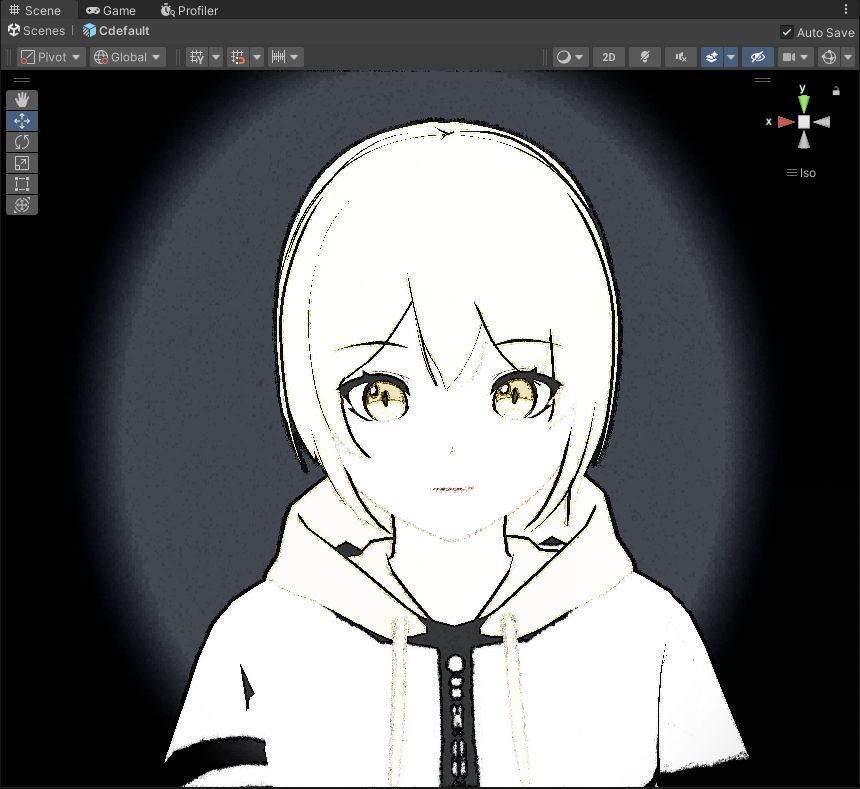 (this photo do NOT adjust the toon shader yet) (but i like it)
some 3D render
Animate system
bone animation + VAT(experienmental) animation controller to pass string sign(?)
Body layers
blender k by hand now
so inefficient way with my weak animation knowlegde
(and VN dont seem to need this that involve the style of animation)
some Japanese frame animation or America animation(physically right and fluency?) ...trying to improve
Face layers
about the blendshapes with some automatic tools some bugs conflict with render pipeline 1.mouth rim light with .b pass so need to back to render pipeline to set mouth material apart(denote just a little ripple)